


In the first three posts of this little series I explained why I’m tackling TensorRT-LLM on the A6000 Ada (Part 1), how I built the setup with Docker and helper scripts (Part 2), and which build pipeline for FP16 and FP8 sits behind all of this (Part 3). Now on to the most exciting part: the real numbers and what can be learned from them for the transfer to Edge-LLM.
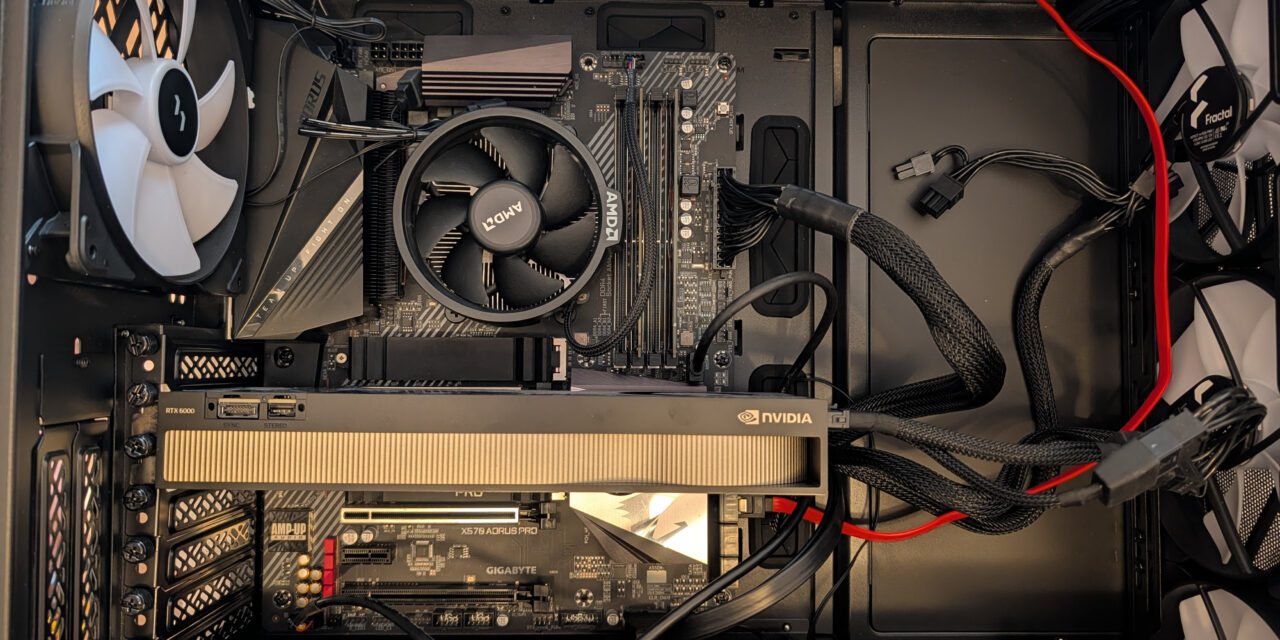
What I’m showing here are not synthetic benchmarks from a marketing slide, but measurements from my own setup: Qwen2.5-7B-Instruct, RTX 6000 Ada Generation (SM89), Ubuntu 24.04, TensorRT-LLM 1.2.1 in the NGC container. The generation tokens/sec are measured with identical prompts and identical sampling parameters, so that FP16 and FP8 are directly comparable.
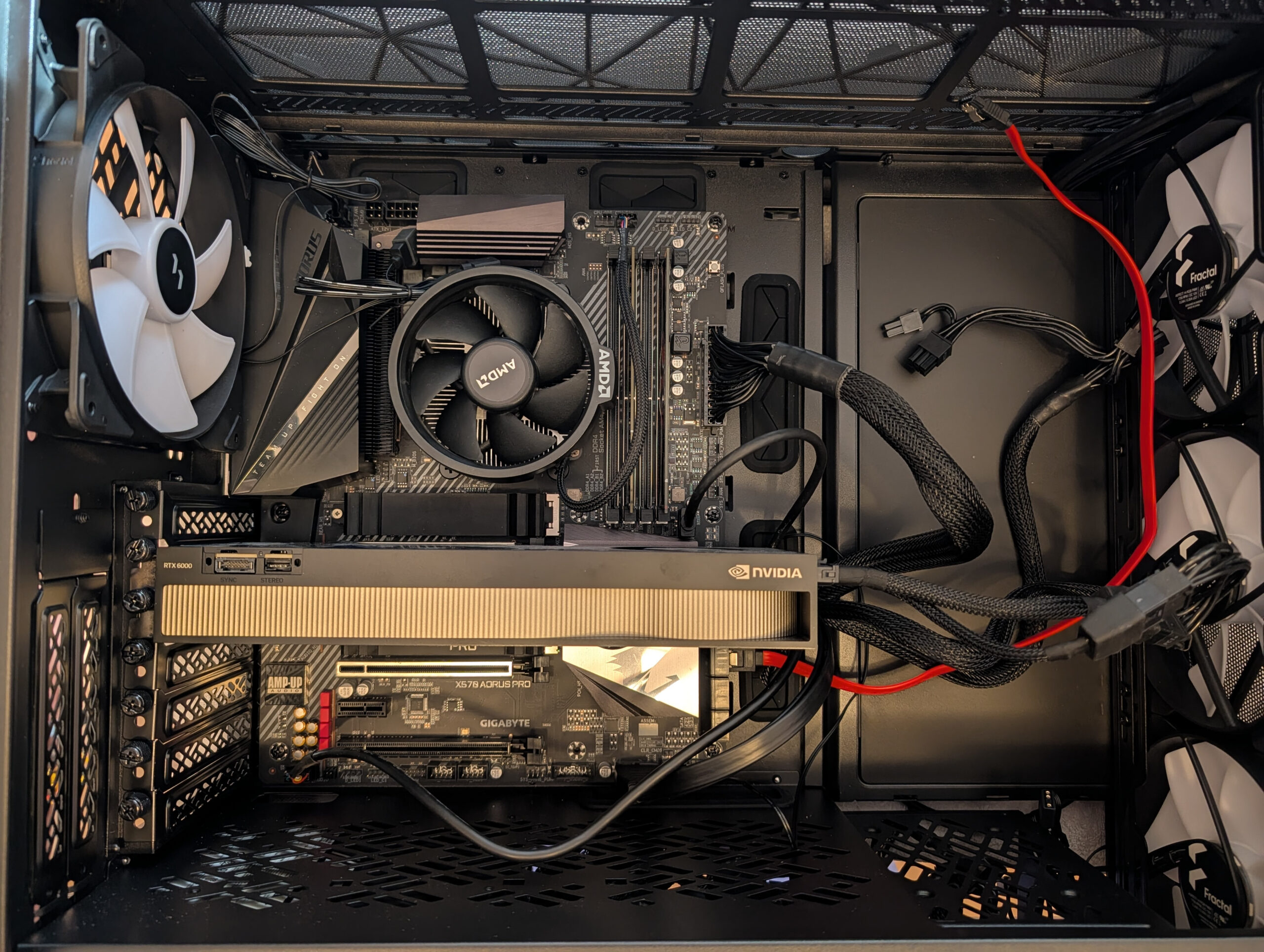
NVIDIA RTX A6000 Ada
The comparison table
| Metric | FP16 TensorRT | FP8 TensorRT | Delta |
|---|---|---|---|
| Build pipeline | |||
| Quantize/Convert | 2:00 (120s) | 7:34 (454s) | +278 % |
| Engine build | 2:46 (166s) | 3:56 (236s) | +42 % |
| Total | 4:46 (286s) | 11:30 (690s) | +141 % |
| Artifacts | |||
| TRT-LLM checkpoint | 15 GB | 8.2 GB | −45 % |
| TensorRT engine | 15 GB | 8.2 GB | −45 % |
| Runtime | |||
| Engine load | 33.24 s | 18.04 s | −46 % (1.84×) |
| Generation time (3 prompts) | 2.50 s | 1.53 s | −39 % |
| Tokens/sec (batched) | 153.72 | 251.15 | +63 % (1.63×) |
| Output quality | ✓ | ✓ | equal |
The most important number is in the second-to-last row: +63 % throughput at a 45 % smaller engine. That is exactly in the range NVIDIA advertises for FP8 on Ada, and which I could previously only have argued for theoretically before this experiment.
The real insight: which numbers are reliable?
When repeating the experiment — and I really did this many times until everything ran the way I wanted — that is, after successfully running through my own build scripts across multiple sessions, I noticed the following: the build times fluctuate considerably, while the inference performance remains remarkably reproducible.
Example from two of my sessions:
| Metric | Session A | Session B | Difference |
|---|---|---|---|
| FP16 total build | 9:10 | 4:46 | nearly halved |
| FP8 total build | 5:54 | 11:30 | nearly doubled |
| FP16 tokens/sec | 154.00 | 153.72 | ±0.2 % |
| FP8 tokens/sec | 250.04 | 251.15 | ±0.4 % |
The explanation lies in the nature of the respective operations. Build time is I/O-dominated, and I have a somewhat aging machine and SSD here. So writing a 15 GB engine file depends on the disk-cache state, on other running processes, and possibly on the power management of the SSD. Inference is compute-dominated — the GPU computes deterministically for the same engine and the same prompts, largely independent of the surrounding system state once the model is loaded into the GPU’s VRAM.
From this follows a practical note: inference benchmarks are reliable, build-time comparisons need more caution — but when a model is running well, you don’t constantly rebuild it. In my opinion, the fact that the build process fluctuates in the time it takes is not too bad.
Engine load: factor 1.84× thanks to a smaller file
For the engine load time, the smaller FP8 file pays off directly. FP16 engine load on my setup: 33.24 seconds. FP8 engine load: 18.04 seconds. Factor 1.84×. This is of course important when we’re not thinking of an RTX A6000 GPU in a workstation but of an edge device that has to get, for example, a voice assistant up and running as fast as possible after power-on.
If I now look at the load times in detail: in both cases, a constant share goes to KV-cache allocation and MPI-worker initialization, which is independent of the engine size. The rest is pure reading of the .engine file into — let’s just call it VRAM here, since the values are from my GPU — and this is where the load time shrinks with engine size. With FP8 the file is only about half the size, so exactly this part is halved.
For me personally, engine load time is rarely critical. Because I start the engine once at container start. But for applications where the service cold start matters — for example a cloud worker that spins up on demand — that’s a real advantage, or when models have to be swapped regularly.
Tokens/sec: where the real FP8 gain is to be found
Whether 251 tokens/sec is a lot or not depends on the comparison — and the comparison is tricky. On the same A6000 Ada, I also measured Ollama in two quantization levels in order to cleanly separate the effects of compilation and quantization:
| Engine | Quantization | Tokens/sec |
|---|---|---|
| Ollama FP16 | 16 bit | 60 |
| TRT-LLM FP16 | 16 bit | 154 |
| Ollama Q4_K_M | 4 bit | 168 |
| TRT-LLM FP8 | 8 bit | 251 |
From this, three effects can be cleanly separated:
At the same bit width, TRT-LLM clearly wins. FP16 against FP16 is a factor of 2.5× — the pure advantage of a hardware-specific, compiled pipeline over a portable llama.cpp implementation with generic dispatch paths. That is the actual “compilation win” that is often advertised as a blanket statement of “TRT-LLM is faster”.
Aggressive quantization wins back memory bandwidth disproportionately less. Ollama gains a factor of 2.8× with Q4_K_M over its own FP16; TRT-LLM, on the other hand, only gains a factor of 1.6× with FP8 over its FP16. That isn’t because FP8 quantizes worse — it’s that the TRT-LLM FP16 baseline is simply already much higher.
The real surprise lies in the realistic user comparison. If you naively pit “TRT-LLM with FP16” against “Ollama with default quantization”, you compare 154 tok/s against 168 tok/s — and Ollama wins. The 4-bit quantization recovers more performance in the decode loop than compilation brings. Only with TRT-LLM FP8 does the compiled backend pull ahead again — factor 1.5× over Ollama Q4. That is significantly less than the often-claimed “3× faster than Ollama”, but still a clear lead.
Where TRT-LLM plays out its full strength is the combination: FP8 quantization plus hardware FP8 tensor cores. Against an unquantized Ollama FP16, that’s a factor of 4.2×. But without the hardware FP8 feature of the Ada generation (or Hopper, Blackwell, Jetson Thor), TRT-LLM would no longer win in many use cases against a well-quantized llama.cpp model. That makes the choice of hardware at least as decisive as the choice of inference backend.
The lesson that isn’t in the docs: KV-cache quantization
I already told the story in Part 3, but I want to record it here once more as a central lesson: my first FP8 build had additionally set --kv_cache_dtype fp8. The performance numbers were even better (236 instead of 251 tok/s), but the model produced complete token salad:
strugg (str, 1, 1, 1, 1, 1, 1, 1) 1) 1) 1) 1) 1) 1) 1) 1) 1) ...On all three prompts the same phenomenon. The engine ran perfectly — KV-cache allocation, tensor-core utilization, throughput, all metrics looked great. Only one thing wasn’t measured: output quality.
The diagnosis: for 7B models, FP8 quantization of the KV cache is too aggressive. The quality headroom of these smaller models isn’t enough to compress both weights and activations in the KV cache down to FP8. For 70B+ models — which typically have more redundancy and therefore more robustness — FP8 KV cache can work.
The fix was a single configuration change: instead of --kv_cache_dtype fp8, I just leave the option out entirely. The KV cache then stays at native FP16. The output becomes sensible again, and the other performance advantages of FP8 weights are preserved.
The general lesson I take away from this session: quantization performance without quality verification is worthless. A benchmark script would never have caught the bug — the engine did generate tokens, and even faster than the variant without FP8 KV. Only reading the actual outputs revealed the collapse.
That applies to every quantization, not just FP8: INT8, INT4-AWQ, NF4 — they all have a quality/performance trade-off. And as the Ollama comparison above has shown, cross-engine comparisons are also not as simple as “the compiled backend automatically wins”. Anyone who runs inference in production absolutely needs a quality sample in CI/CD and an honest view of the baseline against which the comparison is made — not just latency measurements from a single session.
What of this transfers to Edge-LLM?
Back to the actual goal of this series. What have I learned that I can later take with me straight to Jetson Thor (or another edge target)?
Directly transferable
- The pipeline concepts: HF → ONNX/TRT-LLM checkpoint → TensorRT engine. With Edge-LLM the middle stage is called ONNX instead of TRT-LLM checkpoint, but the separation of convert/quantize and build is identical.
- The build-once-deploy-many pattern: the engine is built on a workstation, then deployed as a static artifact. Edge-LLM is explicitly designed only for this pattern — the high-level Python API with on-the-fly engine build, as TRT-LLM has it, doesn’t exist in Edge-LLM at all.
- The understanding of the build bottlenecks: kernel auto-tuning vs. disk I/O. On edge targets with limited disk performance, serialization becomes relatively even more important.
- The FP8 quantization with ModelOpt. Works the same way on SM89 (Ada) and on the corresponding Jetson variants.
- The KV-cache lesson is universal. Just as relevant on edge.
- The methodology note: inference benchmarks are reliable, build-time comparisons need multiple runs. That will be just as important when comparing edge configurations.
What I would have to learn anew
- C++-only runtime. Edge-LLM has no Python layer. Anyone who wants to execute an engine there writes a C++ application against the LLM runtime API. For my tests so far I’ve always used Python — on edge that isn’t available.
- Static memory layout instead of paged KV cache. Edge-LLM forgoes dynamic allocation because the workloads are predictable. Different tuning knobs.
- Cross-compile tooling. Engines for the Jetson Thor (SM101, aarch64) are typically built on an x86 host, and the finished
.enginefile is then deployed to the edge device. With TRT-LLM on my Ada I build natively — same architecture, container, build and run on the same machine.
What has to be thought about completely differently
- Hardware FP8 availability on the edge target. The Jetson Thor brings hardware FP8 with it (same architecture class as Ada/Hopper). On older edge platforms like the Jetson Orin this isn’t available. That naturally means that there, the advantage over a well-quantized llama.cpp model melts away, as the Ollama comparison above hinted at. Anyone planning Edge-LLM performance therefore first has to clarify which architecture generation the target hardware is.
- Power/thermal budget. On the A6000 Ada I can burn 300 watts. On a Jetson Thor that’s maybe 60 watts under full load, often 30 watts sustained. The choice of quantization is then no longer just performance vs. quality, but also performance per watt.
- Model size. What fits easily on the A6000 Ada (Qwen-7B in FP8: 8 GB) does in principle also fit on a Jetson Thor with 128 GB of shared memory — but there the model engine competes with vision pipelines, the OS, other tasks. Realistic model sizes are more like 1B–14B.
Conclusion: was it worth it?
Several days of work, four blog posts. What have I learned in the end for my LLM projects?
Concretely on disk
- An FP16 and an FP8 engine for Qwen-7B, both deployable as
.enginefiles - Seven build and run scripts that make the complete workflow reproducible
- Measurements with all relevant metrics
- A pitfall collection that I don’t have to learn twice
Mentally
- A really concrete understanding of what happens between a HuggingFace repo and an efficient edge deployment
- An honest assessment of FP8 as a quantization technique — it isn’t only “1.63× faster”, but also “watch out for the KV cache” and “view build-time comparisons critically” should that ever become a topic
- A roadmap for what I’ll still have to learn later for Edge-LLM (C++ runtime, cross-compile, static memory model)
For me, this was the right investment. Edge AI on sovereign hardware is no longer “coming soon” — the tools are there, the architectural concepts are clear, and with every step the distance between my workstation and a Jetson Thor gets smaller. Anyone who works in this field, or who wants to learn about it, can take on this exercise themselves with any Ada GPU or newer card.
Now I’ll go and have a look in my workshop to see what edge devices I still have around. An old Jetson Nano should still be findable.
Article overview - TensorRT-LLM on the RTX A6000 Ada:
Preparing an Ubuntu 24.04 Server for AI Inference: CUDA, Docker, NVIDIA Container ToolkitTensorRT-LLM on the RTX A6000 Ada: Preparing for the Edge-LLM Ecosystem
TensorRT-LLM on Ubuntu 24.04: Setup with Docker and Helper Scripts
TensorRT-LLM Pipeline: Building Persistent Engines with FP16 and FP8
TensorRT-LLM in Numbers: FP16 vs. FP8 on the RTX A6000 Ada






The tutorial offers a clear and practical guide for setting up and running the Tensorflow Object Detection Training Suite. Could…
This works using an very old laptop with old GPU >>> print(torch.cuda.is_available()) True >>> print(torch.version.cuda) 12.6 >>> print(torch.cuda.device_count()) 1 >>>…
Hello Valentin, I will not share anything related to my work on detecting mines or UXO's. Best regards, Maker
Hello, We are a group of students at ESILV working on a project that aim to prove the availability of…