


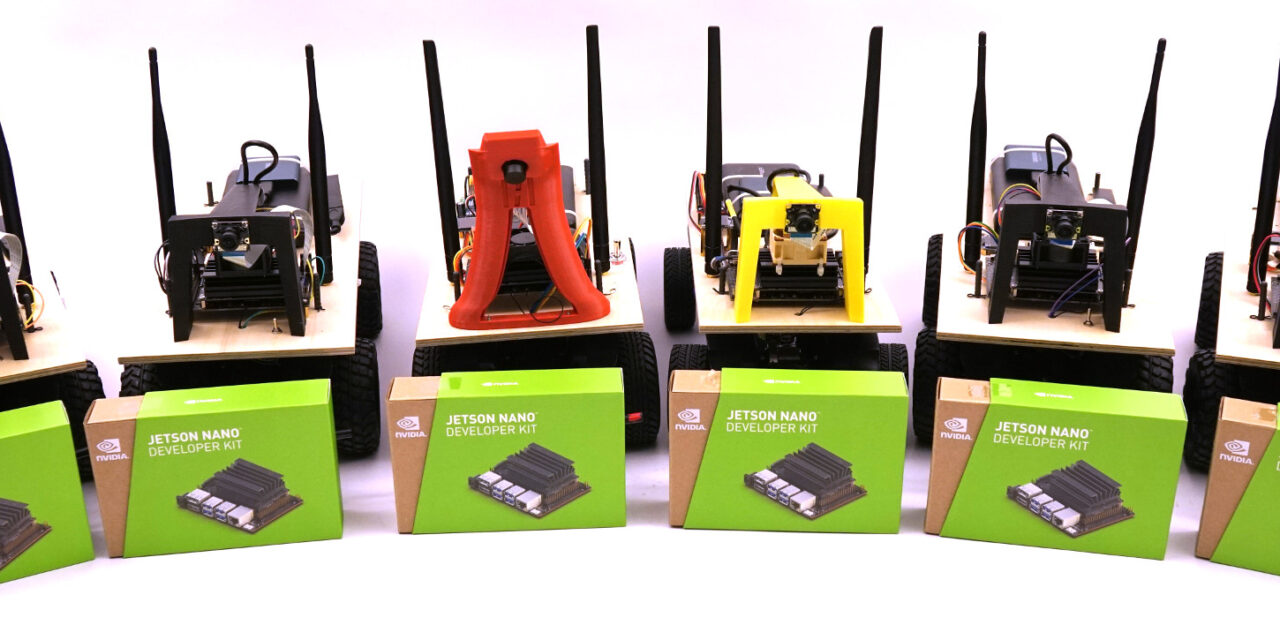
With TensorRT Edge-LLM, NVIDIA has released a C++-only inference framework for embedded platforms. It is designed for the Jetson Thor, DRIVE Thor or the MediaTek CX1 platform. These are exactly the kinds of platforms on which the exciting part of Edge AI will happen over the coming years: language models, vision-language models and vision-language-action models running on local, low-power hardware without any cloud connection. For anyone taking Edge Physical AI and Sovereign AI seriously, this is the next logical step after local inference servers built around classical GPUs. With TensorRT Edge-LLM, NVIDIA has released a C++-only inference framework for embedded platforms. Primarily intended for NVIDIA’s own Jetson Thor and DRIVE AGX Thor platforms, it is already being adopted by partners, including MediaTek for their CX1 SoC, Bosch for the AI-powered Cockpit, and ThunderSoft for the AIBOX platform. These are exactly the kinds of platforms on which the exciting part of Edge AI will happen over the coming years: language models, vision-language models and vision-language-action models running on local, low-power hardware without any cloud connection. For anyone taking Edge Physical AI and Sovereign AI seriously, this is the next logical step after local inference servers built around classical GPUs. The problem: I have neither a Jetson Thor nor a DRIVE Thor. Both are expensive, not easy to get hold of, and outside the reach of a typical home setup. What I do have is an NVIDIA RTX A6000 Ada (SM89) in an Ubuntu server. Edge-LLM doesn’t officially run on it, because discrete GPUs are listed in the support matrix as “unofficial, experimental”. I only have a few first-generation Jetson Nanos with 4 GB of RAM, left over from my robot car projects from the years 2020 to 2021.
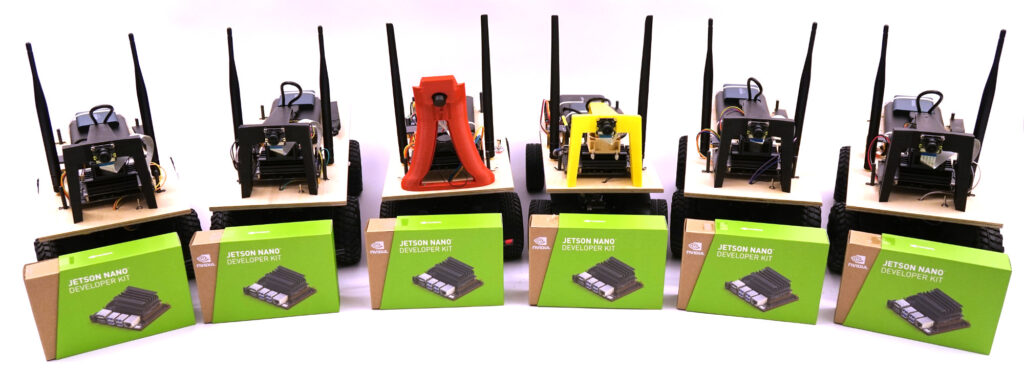
Donkey Car – Jetson Nano
Rather than waiting for the hardware question to resolve itself, I decided to work through the conceptually related big sibling project: TensorRT-LLM. It shares almost its entire architecture with Edge-LLM, but runs on datacenter GPUs — and therefore also on a professional workstation card like my Ada. That way I build up the skills that will later transfer 1:1 to the Jetson Thor, as soon as the hardware becomes affordable in my hobby environment. This blog post is part 1 of a four-part series in which I document the complete journey: motivation, installation, build pipeline with different quantization formats, and finally the real measurements together with all the pitfalls I ran into along the way. I first became aware of the topic through this article from NVIDIA: Accelerating LLM and VLM Inference for Automotive and Robotics with NVIDIA TensorRT Edge-LLM
Why Edge-LLM in the first place?
Local AI inference is currently in an in-between state. Tools like Ollama or llama.cpp make it trivial to run a quantized 7B model on a mid-range GPU or even just a CPU. That works well for a developer workflow at the desk. But as soon as inference is meant to be deployed into a device on the production line, into a machine in agriculture, into a classical robot, or into a car, different rules apply:
- Power budget: 50 watts instead of 300+ watts
- Thermals: Compact, closed enclosure, fanless or at least very quiet
- Latency: Predictable, not just “good on average”
- Static workload: One model, one use case, no dynamic hot-swapping of models
- No update cycle: What gets deployed runs for a long time (stable)
llama.cpp and Ollama are not built for these conditions and constraints. They work in an interpreted way: the GGUF file is read at runtime, and layer by layer it is executed with generic CUDA kernels. There is no model-specific ahead-of-time compilation for the actual hardware. That is flexible and portable, but leaves performance on the table. TensorRT Edge-LLM does exactly this differently: Starting from, say, a generic HuggingFace checkpoint, a Python export step produces an ONNX graph, from which the C++ engine builder constructs a hardware-specific TensorRT engine that runs only on a particular GPU architecture — for example the one built into the Jetson Thor. In exchange, the model produced this way operates with maximum efficiency on that hardware. The engine is a binary file that only needs to be loaded at runtime. No Python, no PyTorch dependency, no interpretation. Exactly what you want for a production device.
The pipeline Edge-LLM uses
In the Edge-LLM diagram, it looks like this:
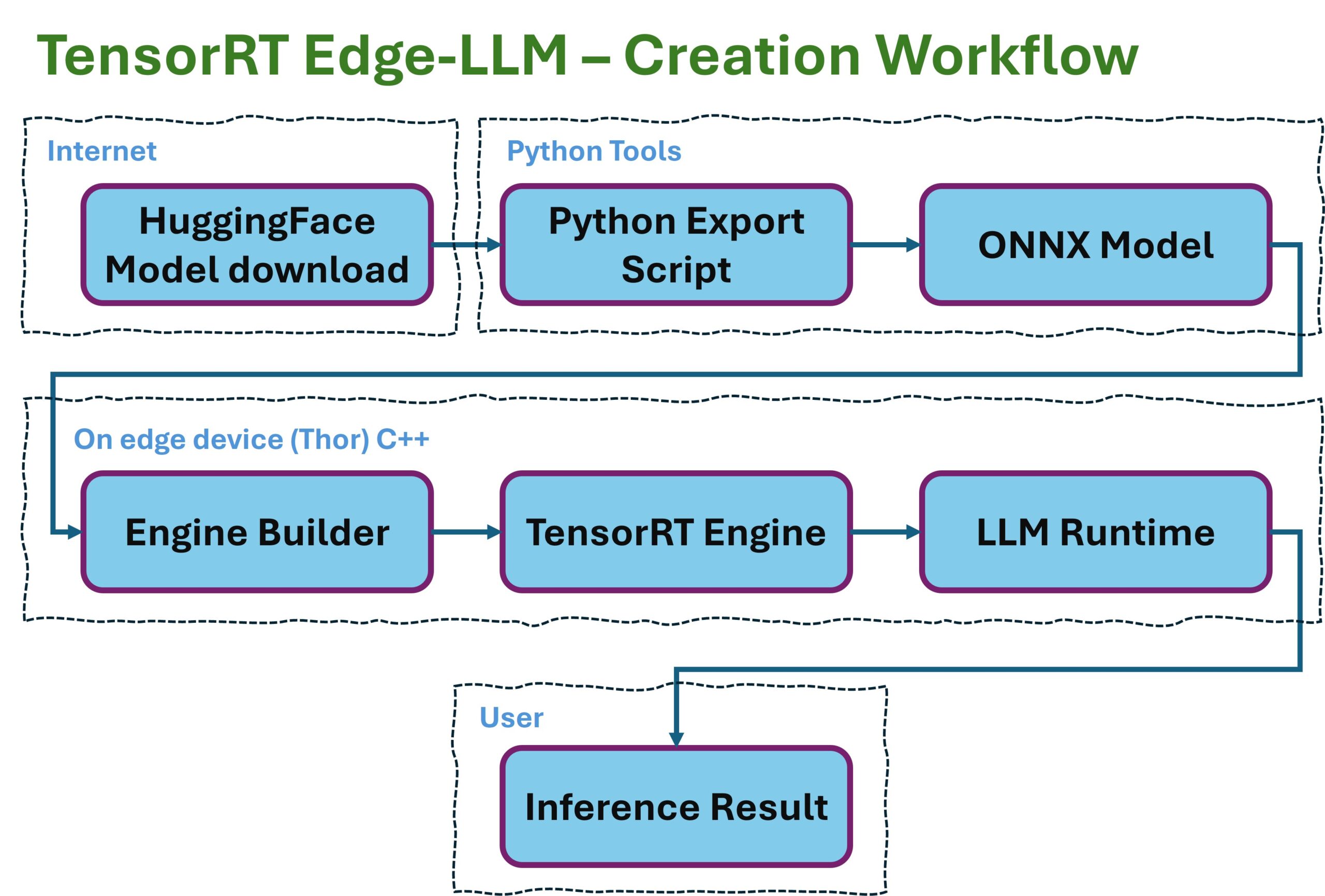
EdgeLLM preparation workflow
Three stages, three artifacts. HuggingFace, as one of the largest portals for LLMs, provides the portable input through the LLM models it hosts — exactly as the research community or the big players in the field publish them. ONNX is the vendor-neutral intermediate format that describes model structure and weights but doesn’t execute anything itself. The TensorRT Engine is the hardware-specific end product that only needs to be loaded and executed. This separation has an important reason: the engine builder can run on any x86 workstation that has the matching CUDA SDK. The runtime runs on the target device (Jetson, DRIVE, or in this case the RTX). Build and deploy are decoupled. That is exactly the pattern every production pipeline ends up needing sooner or later.
TensorRT-LLM vs. TensorRT Edge-LLM
The two projects are, simplified, the same architecture in two flavors. The following table gives a short explanation:
| Aspect | TensorRT-LLM | TensorRT Edge-LLM |
|---|---|---|
| Target platform | Datacenter (B200, H200, A100, Ada) | Jetson Thor, DRIVE Thor |
| Runtime | Python + C++ | C++ only |
| Batching | In-flight batching | Single-stream |
| KV cache | Paged, dynamic | Compact, static |
| Power budget | almost irrelevant (-> waste heat) | critical |
| Model size | up to 405B+ via tensor-parallelism | typically 1B–14B |
| Optimization goal | Throughput (tokens/sec across many users) | Latency per request, predictable |
| Response behavior | Best-effort, varies with load | Deterministic, every millisecond counts |
At its core, Edge-LLM is “TRT-LLM with everything trained out of it that won’t fit into 50 watts“. The pipeline concepts — ONNX export, engine build, kernel auto-tuning, KV-cache management, FP8 quantization — are identical. Whoever has understood one will understand the other in the same way. This is exactly where I come in: if I take on TRT-LLM on the A6000 Ada and play through the pipeline completely — from a HuggingFace checkpoint to a deployable .engine file — I will have the skills I’ll later need for Edge-LLM. Only the hardware constraints will be different.
Why the RTX A6000 Ada is a good learning platform
It’s not as though I had much of a choice. My remaining Jetson Nanos are now around six years old and, how shall I put it, out of support. So here are three reasons why the RTX A6000 Ada is a pretty good fit: 1. It uses the Ada architecture (SM89) and supports hardware FP8. That is not a given. The older RTX A6000 (Ampere, SM86), which I own in dual configuration, can’t do this. On Ada, there is the Transformer Engine with native FP8 tensor cores — the most important performance feature also known from Hopper and Blackwell datacenter GPUs. What I learn about FP8 quantization on Ada will transfer 1:1 to the Jetson Thor, since it also brings hardware FP8 with it. 2. 48 GB of VRAM are enough for meaningful models. A Qwen-2.5-7B in FP16 eats about 14 GB for the engine, plus several GB for the KV cache. With 48 GB I have room for the engine, a large KV cache, and I can even run nvidia-smi in parallel for monitoring without things getting tight. On a consumer card with 24 GB this is already considerably more cramped. 3. It runs on PV power. My inference servers get solar power when the sun is shining — and from April onwards this is the case almost 100 % of the time — and at night the power comes from the PV battery. Whatever tokens are generated on the A6000 Ada do not cost me any cloud fees either. A technical detail, but for me part of the bigger picture: AI infrastructure that I control and operate myself, with energy that I produce myself. That is the practical translation of “sovereignty” that I can already realize in Europe today without much effort.
What comes in the next posts
In the following three parts of this series I’ll go through the implementation step by step:
- Part 2: Installation and configuration: How I set up TensorRT-LLM in a Docker container on Ubuntu 24.04, which paths I chose, how the helper scripts
setup_trtllm.shandstart_trtllm.share structured, and which pitfalls I worked around during the first model test with TinyLlama. - Part 3: The build pipeline and quantization scripts: How the two-stage workflow
convert_checkpoint.py→trtllm-buildworks, how mybuild_qwen_fp16.shandbuild_qwen_fp8.shscripts are structured, what ModelOpt PTQ does, and why a naively configured FP8 KV cache turned my 7B model into token salad. - Part 4: Measurements and lessons learned: Here we’ll look at the real performance numbers from my setup (spoiler: 1.62× speedup with FP8, 45 % smaller engine), the insights into the relationship between engine build time and disk I/O, and above all: what of this will I later carry over to Edge-LLM, and what will I have to relearn?
Anyone who wants to follow along needs, at minimum, an NVIDIA GPU with Ada architecture — such as an RTX 4090 or newer (for the FP8 paths) — CUDA drivers from 545.x onwards, Docker with the NVIDIA Container Toolkit, a HuggingFace account (for the model downloads), and about 100 GB of free storage for the container image and the models. With an older consumer card the FP16 paths work. In that case, though, you’ll have to skip the FP8 part. I also added a 16 TB hard drive to the setup, since I needed several attempts to get this little blog series written. In the next part, we’ll get started with the setup.
Article overview - TensorRT-LLM on the RTX A6000 Ada:
Preparing an Ubuntu 24.04 Server for AI Inference: CUDA, Docker, NVIDIA Container ToolkitTensorRT-LLM on the RTX A6000 Ada: Preparing for the Edge-LLM Ecosystem
TensorRT-LLM on Ubuntu 24.04: Setup with Docker and Helper Scripts
TensorRT-LLM Pipeline: Building Persistent Engines with FP16 and FP8
TensorRT-LLM in Numbers: FP16 vs. FP8 on the RTX A6000 Ada






The tutorial offers a clear and practical guide for setting up and running the Tensorflow Object Detection Training Suite. Could…
This works using an very old laptop with old GPU >>> print(torch.cuda.is_available()) True >>> print(torch.version.cuda) 12.6 >>> print(torch.cuda.device_count()) 1 >>>…
Hello Valentin, I will not share anything related to my work on detecting mines or UXO's. Best regards, Maker
Hello, We are a group of students at ESILV working on a project that aim to prove the availability of…