


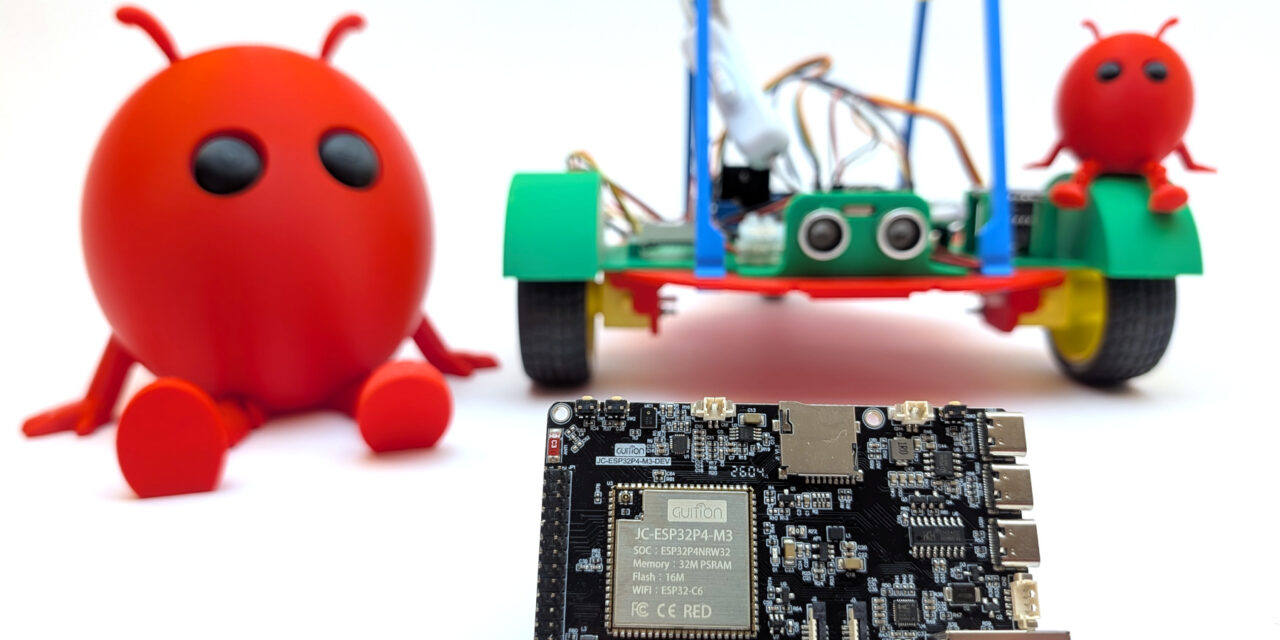
After I showed you in my post on “Sovereign AI” how I built my own independent LLM server on NVIDIA GPUs using Ollama and Docker, I now want to take a step further. The question that has been on my mind for weeks: How far can generative AI be brought down from the inference GPU server to a small microcontroller, and what can I do with it?
The answer is a whole new series of posts that I’m launching here on my blog today. At its heart is a framework from Espressif that I find genuinely new and exciting, called ESP32-Claw, an HMI board featuring the ESP32-P4, and my wish to control my existing robot cars via a local AI agent. You can find the ESP32-Claw framework here: https://github.com/espressif/esp-claw
What is this new series about?
This series is not about the physical build of a robot. If you want to learn about the mechanical and electronic side of my robot cars, you’ll find all the build instructions, schematics, and mechanical topics as usual on my second blog custom-build-robots.com. Here on my blog ai-box.eu, the focus is exclusively on the AI layer.
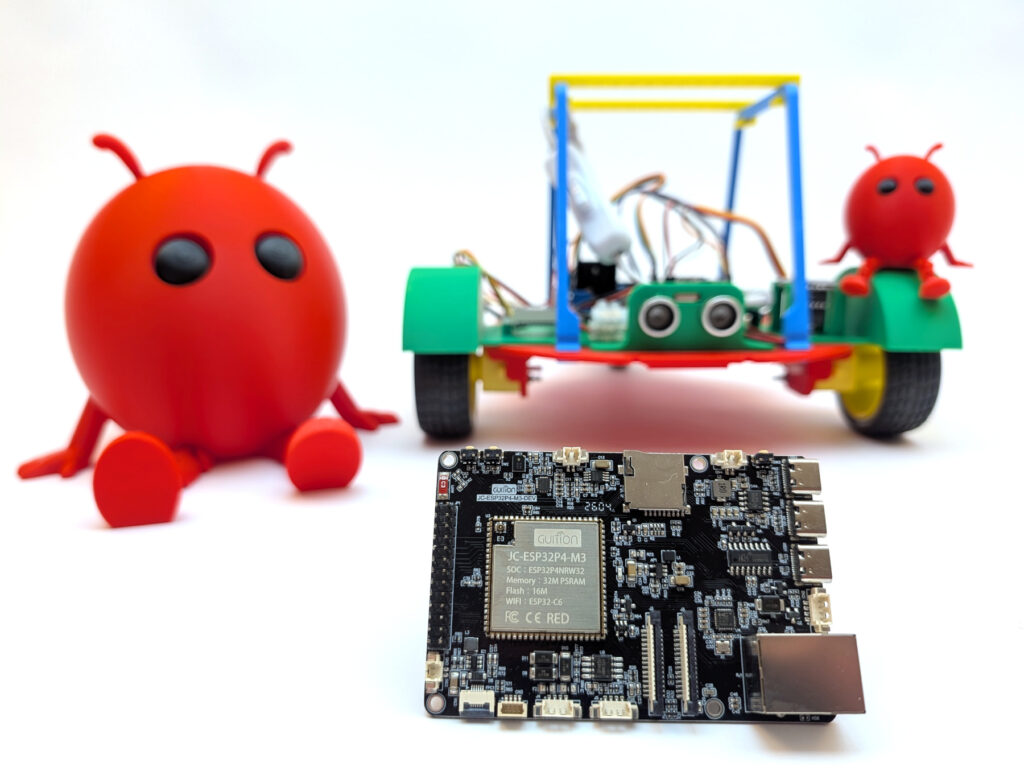
ESP32-CLAW HMI board robot car
How did the idea come about?
I’ve built a number of robot cars for two school projects with my daughter. On top of that, I keep having conversations with colleagues who tell me, for example, that their own mother – who had operated the washing machine without any problems for 55 years – can no longer operate it. The parents stand in front of the device and don’t know how it works anymore. They notice that something is off, but they don’t dare to call the kids. Couldn’t we design a companion that helps locally and unobtrusively?
In short, I’m not short on hardware like robot cars, electronics, or ideas.
Let’s start with a small overview of the topics that need to be solved:
- How does an LLM agent actually run on an ESP32-P4?
- How does a microcontroller talk to my local Ollama server?
- What are “Skills” and “Capabilities” in an edge agent on a microcontroller?
- How do I turn spoken commands into actions on the robot?
- Which sensors and actuators can I control, and how?
- How do I integrate tool calling, memory, and MCP servers on hardware with 32 MB of RAM?
The goal at the end of the series, or rather of my journey:
A robot car or end device that I can control with natural language. It should work fully locally, without the cloud, without API keys handed to external providers. Exactly what I understand “Sovereign AI” to mean.
What exactly is ESP-Claw?
ESP-Claw is a new open-source framework from Espressif that runs on their powerful ESP32-P4 chips. Put simply: ESP32-Claw turns a microcontroller into a full-fledged, self-contained AI agent with everything that goes with it:
| Component | What it does | Why it matters |
| LLM connector | Talks to OpenAI, Anthropic, Aliyun Bailian, or a local Ollama inference server | I stay in control of my data – the LLM runs on my A6000 server |
| Capabilities | Predefined abilities (messenger, files, web search, scheduler) | Modular extensibility, like an app store |
| Skills | Custom functions that the LLM can call (tool calling) | This is where I connect language to robot hardware |
| Lua runtime | Run scripts at runtime | Adjust logic without re-flashing the firmware |
| MCP server | Model Context Protocol – a standard for AI integrations | My ESP32 becomes a server for other AI tools |
All of this runs on a single chip, with display, touch, audio, WiFi, and Bluetooth. Exactly what you’d call an all-in-one edge AI platform.
Why an HMI board? Why not just a Raspberry Pi?
A fair question. My take on this is clear: a Human-Machine-Interface board – i.e. a microcontroller with a built-in touchscreen – is the ideal platform for an edge agent:
- Boot time: 1–2 seconds instead of 30–60 seconds like on a Pi
- Power consumption: A few hundred milliwatts instead of 5–10 watts
- Robustness: No Linux file system that gets corrupted on sudden power loss
- Real-time: Direct access to GPIO, I²C, UART, PWM – ideal for robotics
- Price: Boards like the Guition JC1060P470 are available for under 25 Euro, and a Raspberry Pi costs significantly more here.
This isn’t a theoretical advantage. When I’m standing in front of my robot car and want to control it by voice command, I don’t want to wait for a Linux boot. I want to get started as quickly as possible.
My starting point: the Guition JC1060P470
Let me be honest here. I simply searched AliExpress for an ESP32-P4 board that offered lots of interfaces and cost under €30. It ended up being a Guition JC1060P470. An HMI board with the following equipment:
- ESP32-P4 as the main SoC (RISC-V dual-core, 360 MHz)
- ESP32-C6 as a co-processor for WiFi 6 and Bluetooth 5 (connected via ESP-Hosted SDIO)
- 7-inch IPS display with 1024×600 pixels and a MIPI-DSI connection (not included in my case)
- Capacitive touch (GT911)
- ES8311 audio codec with microphone and speaker connection
- microSD slot, RJ45 Ethernet
- 16 MB flash, 32 MB octal PSRAM
All for around 25 Euro, and I simply couldn’t resist buying it to finally call an ESP32-P4 my own.
My goal: sovereignty all the way down to the hardware
The plan is simple, but technically challenging:
- Compile ESP-Claw and flash it to the board – including my own board adaptation, as I had to learn
- Connect to my Ollama server on which I run various models
- Develop my own skills that control my ESP32-based robot car over WiFi
- Voice interaction via microphone and speaker directly on the HMI board
- Write Lua scripts that define behavioral patterns (“Find the red object”, “Drive to the kitchen”)
The LLM inference always stays within my own four walls. My robot talks to Qwen 3.6 35B on my own server. There is no connection to OpenAI & Co. outside of Europe. That’s the common thread running through all of my posts: Full control, no token subscription, no data dependency on external providers.
What’s coming in the next posts?
This series will probably consist of the following parts (the order may shift depending on how the topics develop and how much time I find):
- Part 1 (this post): Kickoff and introduction of the vision
- Part 2: Setting up ESP-IDF v5.5.4 and building ESP-Claw – step by step
- Part 3: Adding a new board to ESP-Claw – my board adaptation for the Guition JC1060P470
- Part 4: Connecting ESP-Claw to your own Ollama server – configuration and first chats
- Part 5: Understanding capabilities and skills – the architecture of an ESP-Claw agent
- Part 6: Writing your own skill – remote-controlling the robot car or explaining the dishwasher
- Part 7: Voice in, voice out – the HMI board as a real voice assistant to help out at the washing machine
- Part 8: Lua scripts for behavioral patterns – when the agent acts on its own
What actually emerges and in which order will depend on what I run into in practice and how much time I’ll have this summer. But that’s precisely what makes it appealing to me: Real maker work, with real obstacles and real “aha” moments. Like many of my projects, this one is being built on the side, and I’m curious to see what can come of it.
The bridge to my robot car activities
Those who know me from my robotics world know: on custom-build-robots.com I’ve been showing for years how I build ESP- or Raspberry Pi-based robot cars. Equipped with motors, sensors, cameras, and everything that goes with it. My book “Roboter-Autos mit dem ESP32” (published by Rheinwerk Verlag) also covers this physical side.
This series here on my blog complements that with the AI layer. A robot car that I’ve built gets a speaking, thinking co-pilot that communicates with it from the HMI board. So if you want to go the full way – from soldering iron to voice command – the two blogs together give you the whole story.
My personal conclusion to kick things off
We live in a time when AI agents are mostly offered as a cloud service. Every voice command, every question, every photo travels across the internet to someone else’s server, gets processed there, and comes back changed. That works – but it’s the opposite of sovereignty. In parents’ chat groups and during open-house days at school, taking photos is a big topic. I keep wondering how consistent the loudest parents really are in their own private and professional lives when it comes to using such convenient services?
With ESP-Claw on an HMI board, the AI agent becomes a local, self-contained unit. It belongs to me. It runs on my premises. It talks to my server. Nobody has to read my data, nobody can shut it down, and I don’t pay any fees per token.
That’s the vision of this series. In the upcoming posts, I’ll show you how I’m bringing this vision to life step by step – with all the stumbling blocks that come with such a pioneer project.
See you in the next part!




The tutorial offers a clear and practical guide for setting up and running the Tensorflow Object Detection Training Suite. Could…
This works using an very old laptop with old GPU >>> print(torch.cuda.is_available()) True >>> print(torch.version.cuda) 12.6 >>> print(torch.cuda.device_count()) 1 >>>…
Hello Valentin, I will not share anything related to my work on detecting mines or UXO's. Best regards, Maker
Hello, We are a group of students at ESILV working on a project that aim to prove the availability of…